FM Towns Marty model 2 - 1994 Japanese gaming computer: no boot repair
Fujitsu FM TOWNS Marty model 2
This Fujitsu FM Towns Marty model 2 I bought as a compatibility checking for the upcoming product - Marty Power Banchou. Of course, it arrives as a dead unit.
Diagnosis
As soon as the power switch is pushed, the CD-ROM led stays solid lit and there’s no other booting sequence goes after that. No image or sound. A normal unit would only flash the CD-ROM led briefly and display a Marty logo when doing POST test. So this one doesn’t pass POST.
The repair
No Boot Fix
Replaced with prototype Power Banchou PSU, still the same. This isolate the power supply’s issue.
Right to the infamous C22 capacitor, and it’s still the 470uF one. Same electrolytics smell.
Desolder it, and found a good amount of leakage and damage.
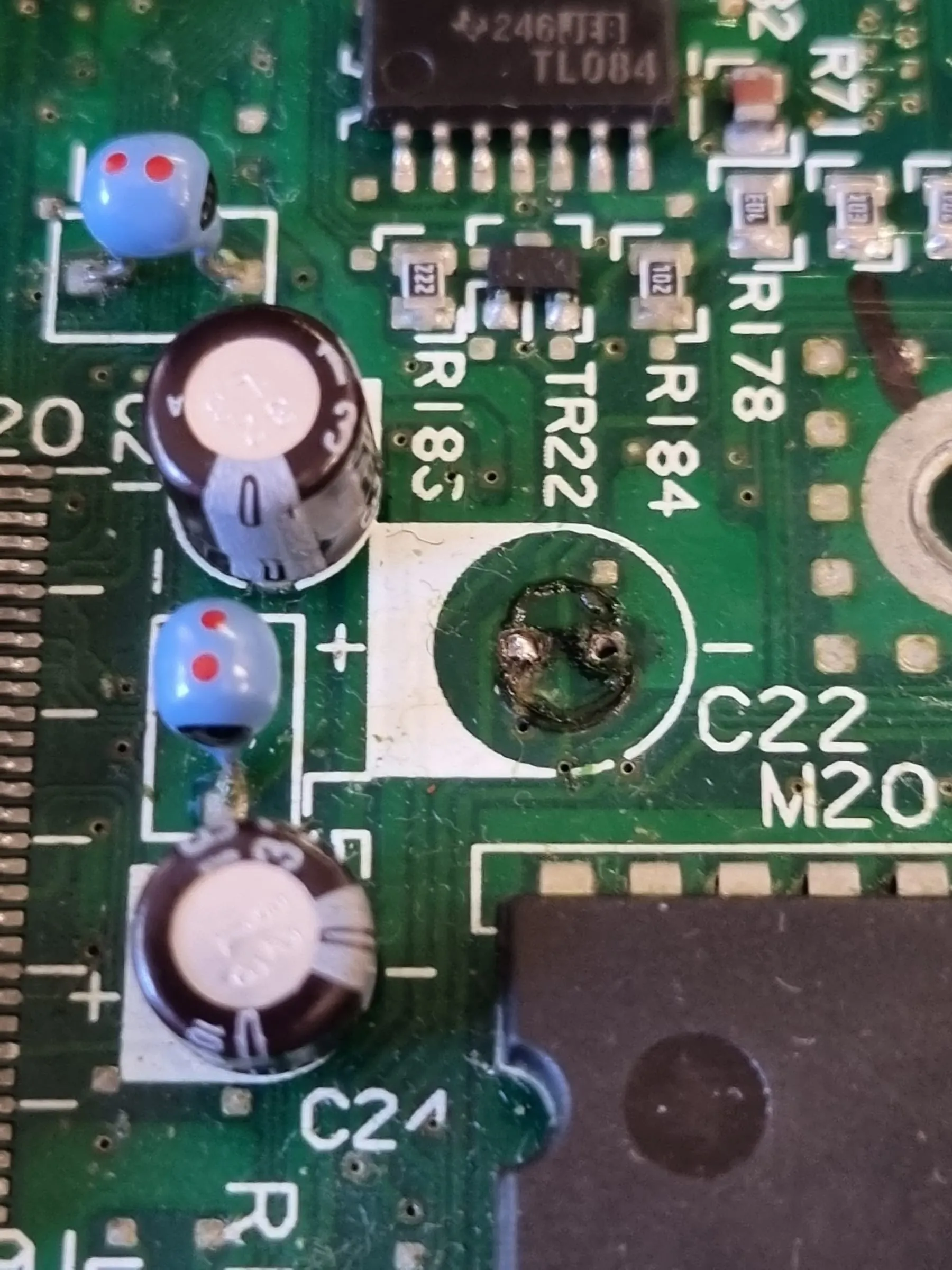
It might look okay, but actually quite a few nearby VIAs are damaged, tested no continuity.
The most important trace is the pin 24 of the Yamaha YM3438 chip. Here the master clock signal coming from a 74LS04 pin 2 is broken off by the corrosion caused by C22.
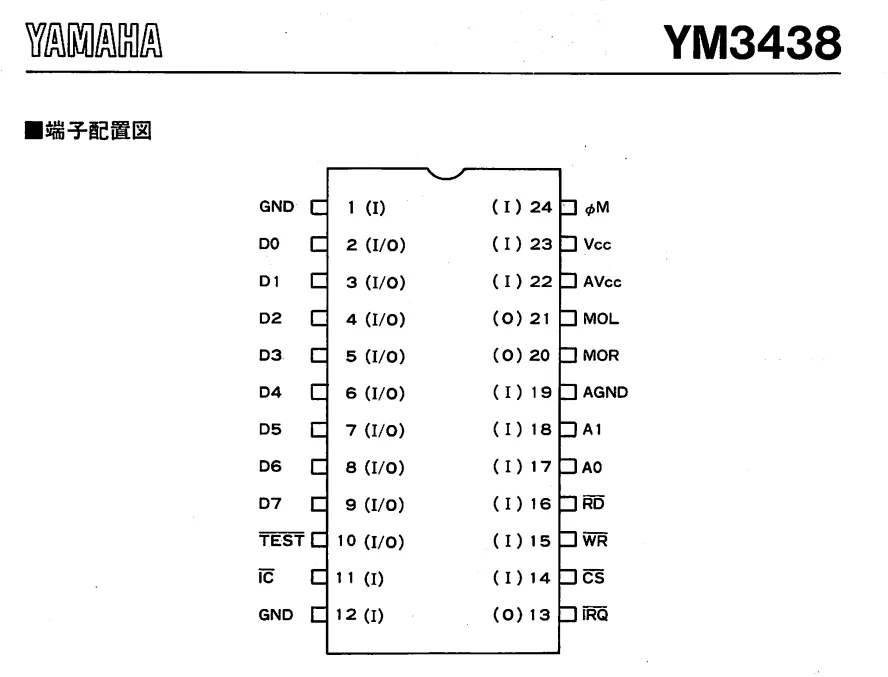
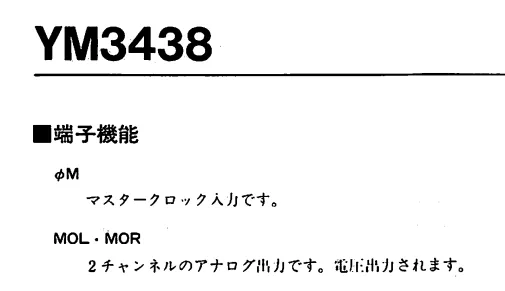
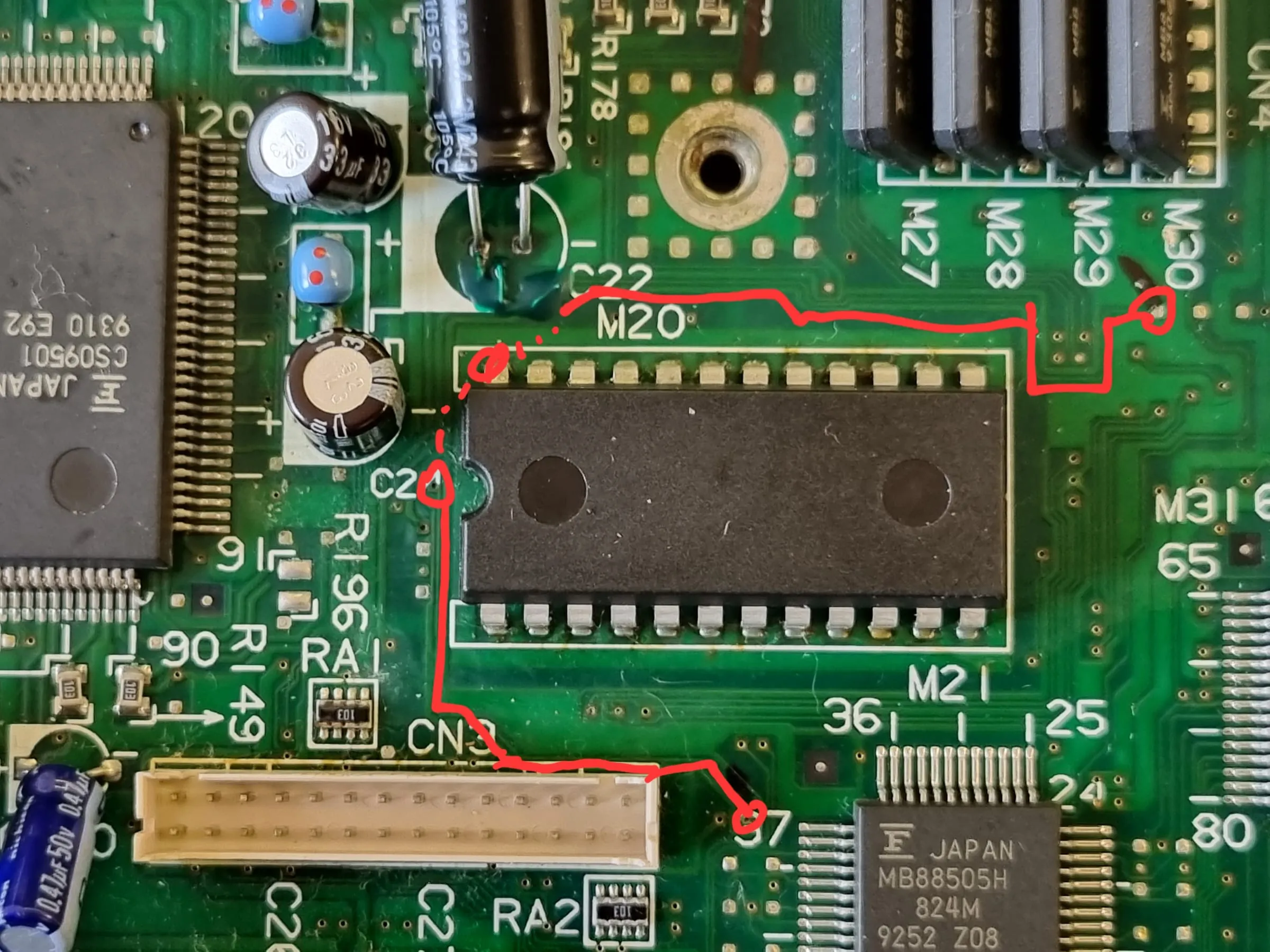
Fixing trace includes both top and back of the board, as the damage is massive.
Pin 24 of YM3438 needs to go from the annotated path, and then all the way to the VIA on southeast. The dashed line is the connection on the back.
Now on the back. Not only the VIAs have no continuity, but also the traces went into the solder blob of Pin 24 of YM3438 have broken inside of the solder joint. Fixed by adding copper wires. Tested continuity from the 74LS08 chip to YM3438 pin 24 with a multimeter to confirm the fix is sound.
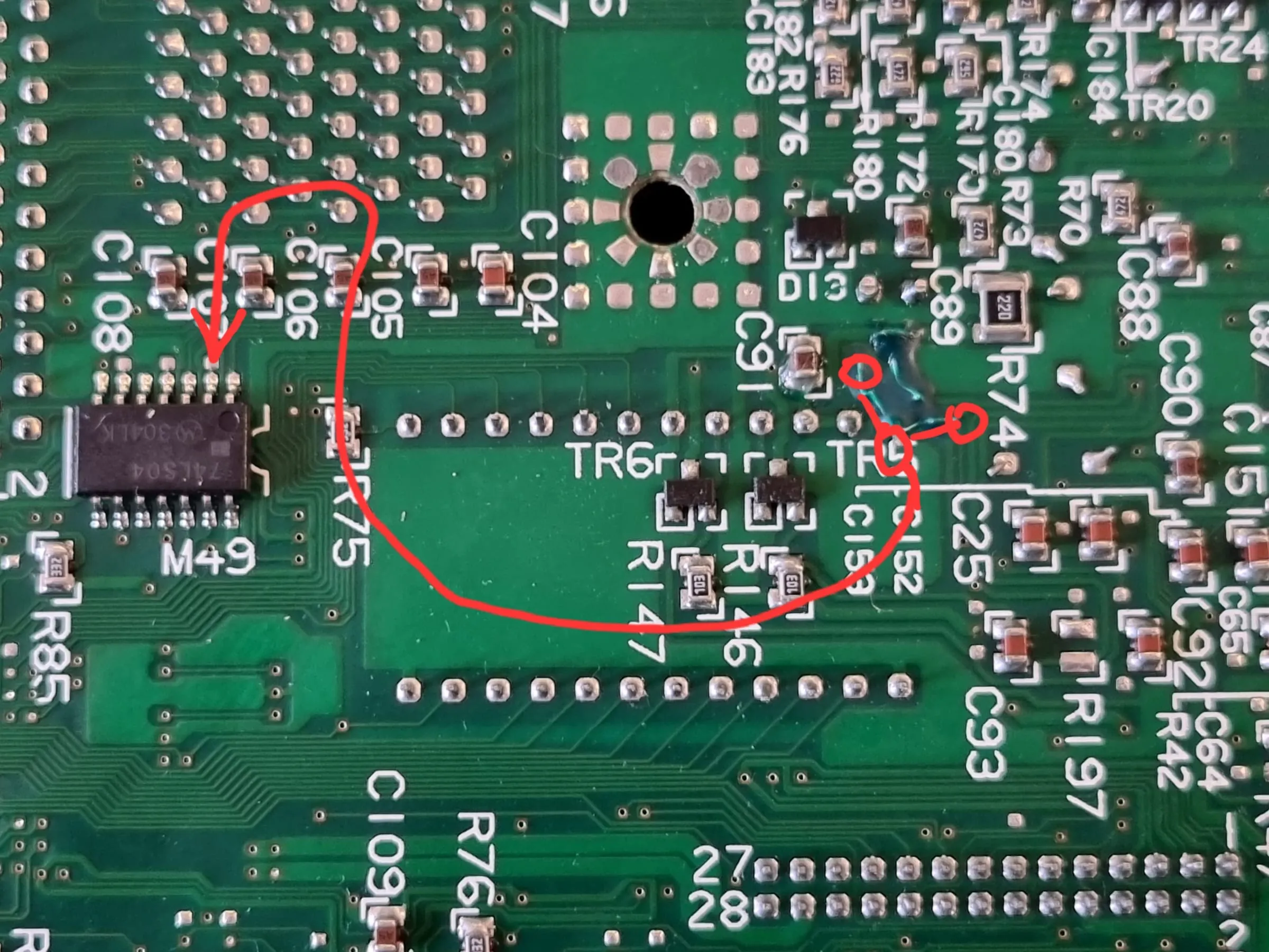
Now the computer boots into the default BIOS UI.
Floppy disk drive fix
The floppy disk drive has broken belt, as always. Cleaned up the old rubber residual, replaced the belt with a 3mm x 68mm belt. During the process, noticed a missing tooth on the rotor, seemingly for RPM feedback.
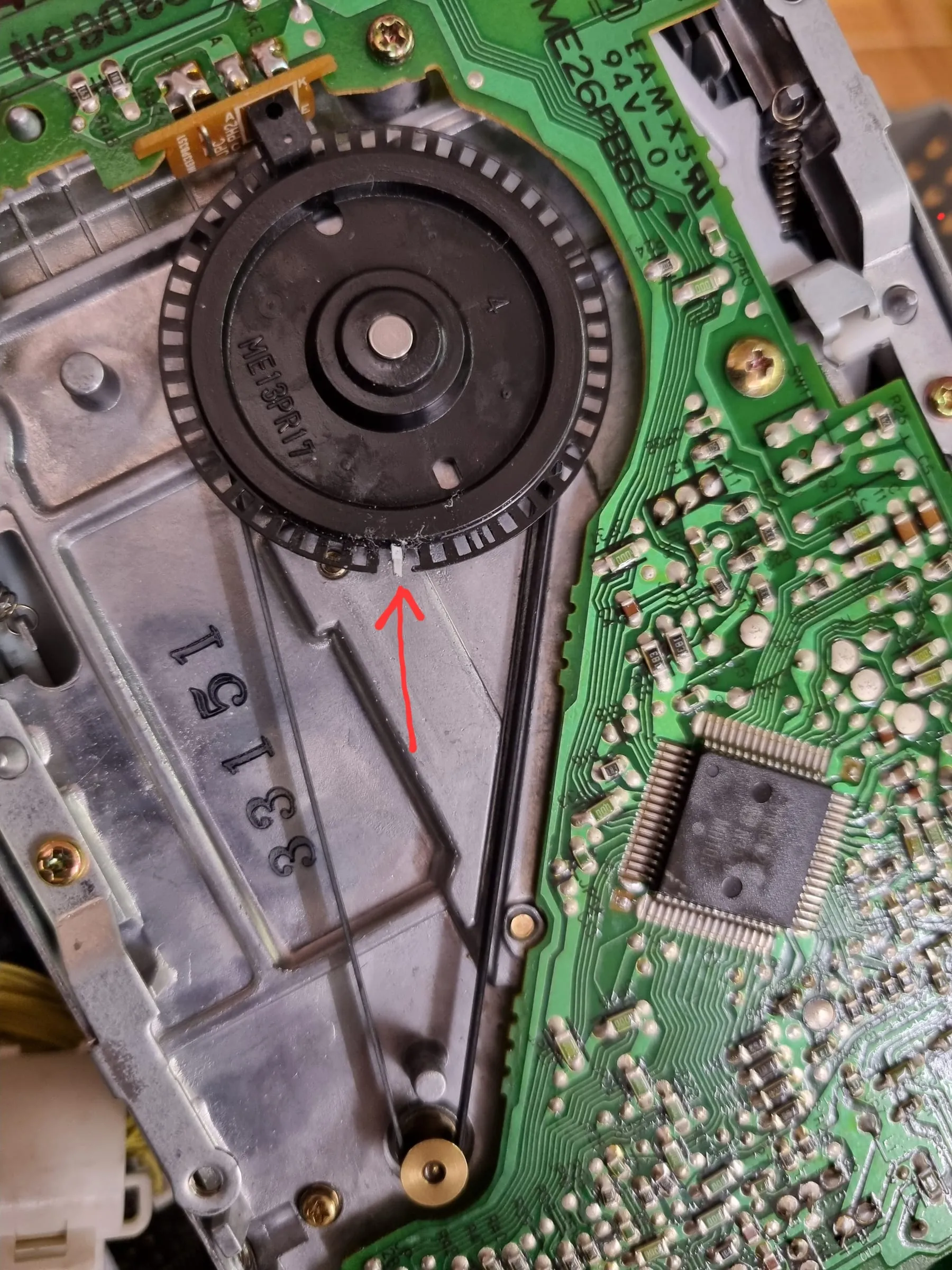
There’s no replacement, so only a triage fix can be done. Tested reading and writing with OK results.
CD-ROM lid sensor fix
The CD-ROM works when I was doing tests, but refuse to spin a disc once I put the top cover on.
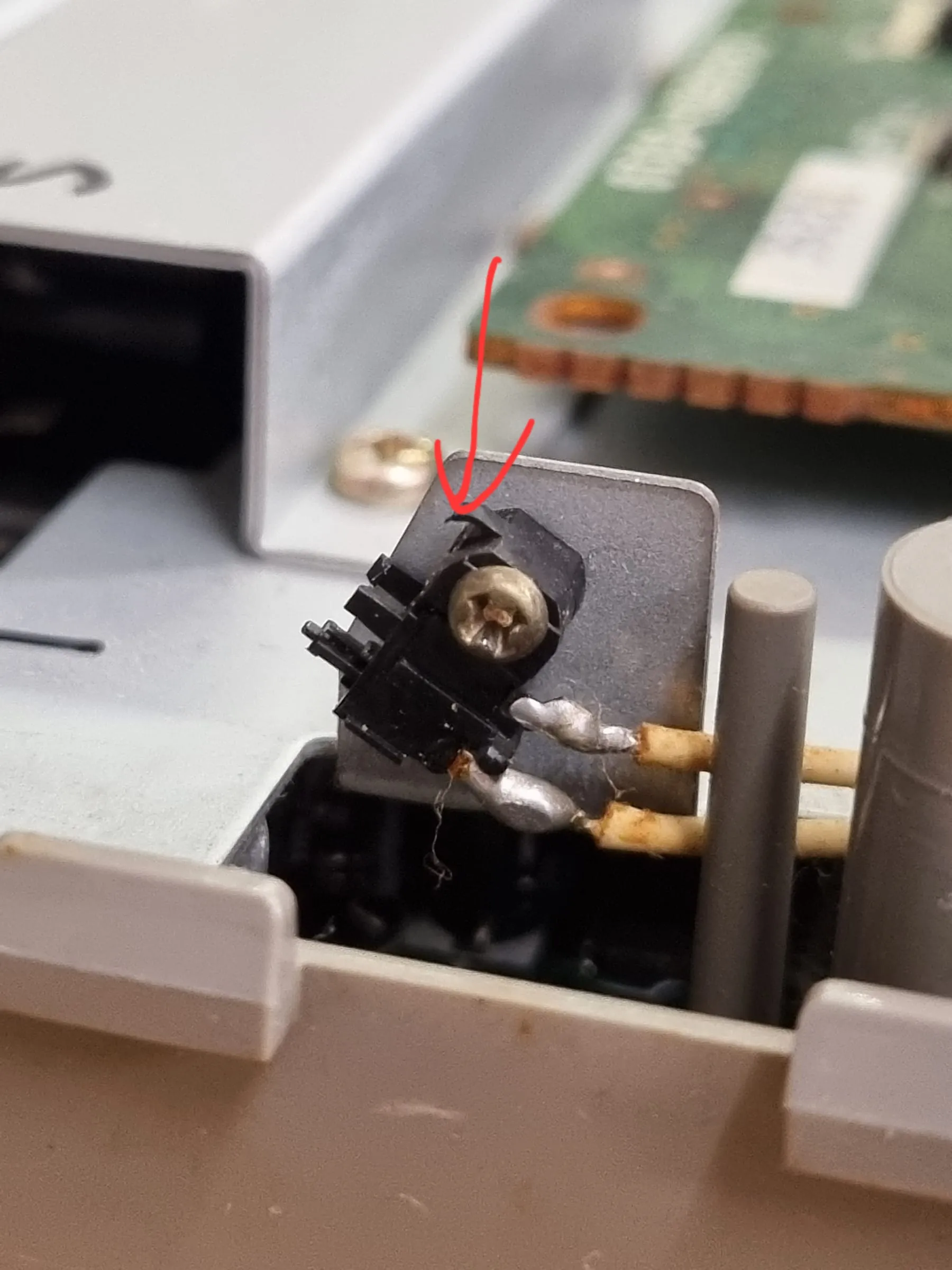
Inspection shows the plastic lever of the momentary switch has broken off. A plastic lever, genius idea.
A good one should look like this:
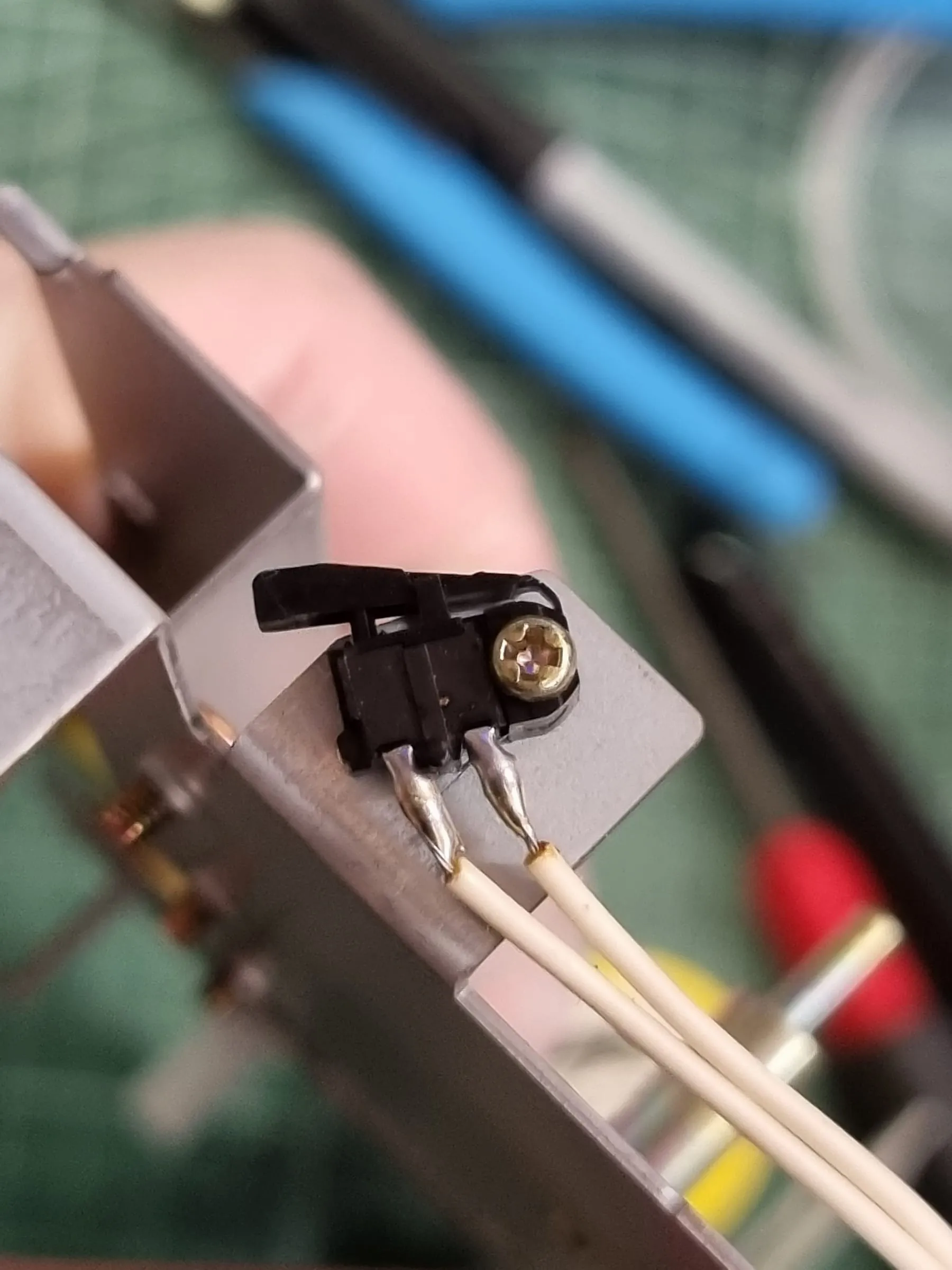
Trimmed the residual plastics, and use OpenSCAD to make a 3D printed addon. Something like that:
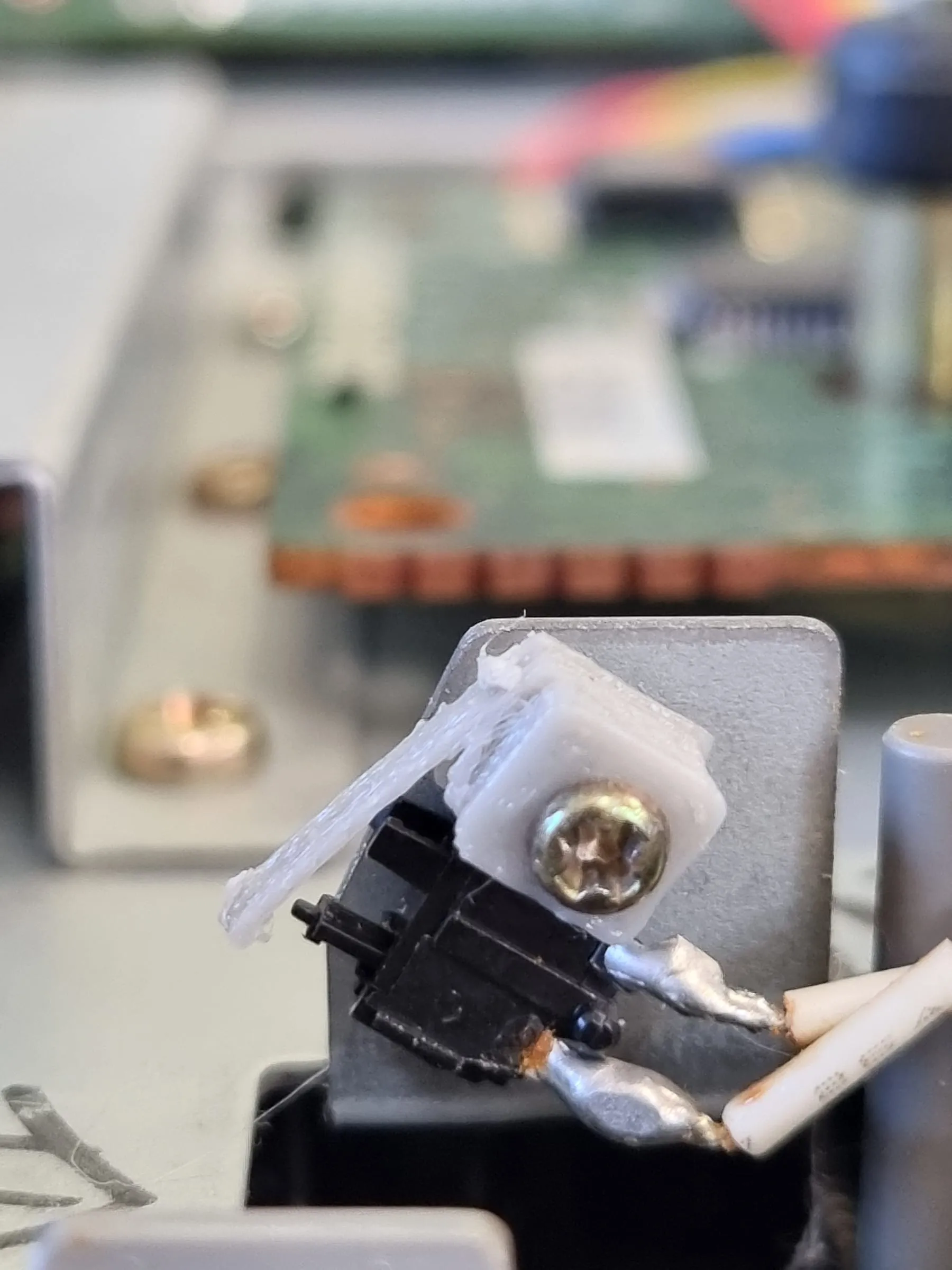
Now works with the top cover on.
Regarding a lot of people saying about recapping the CD-ROM board, I didn’t find a lot of out of spec capacitors there. Only C19 is marginal in this case. Replacement is optional.
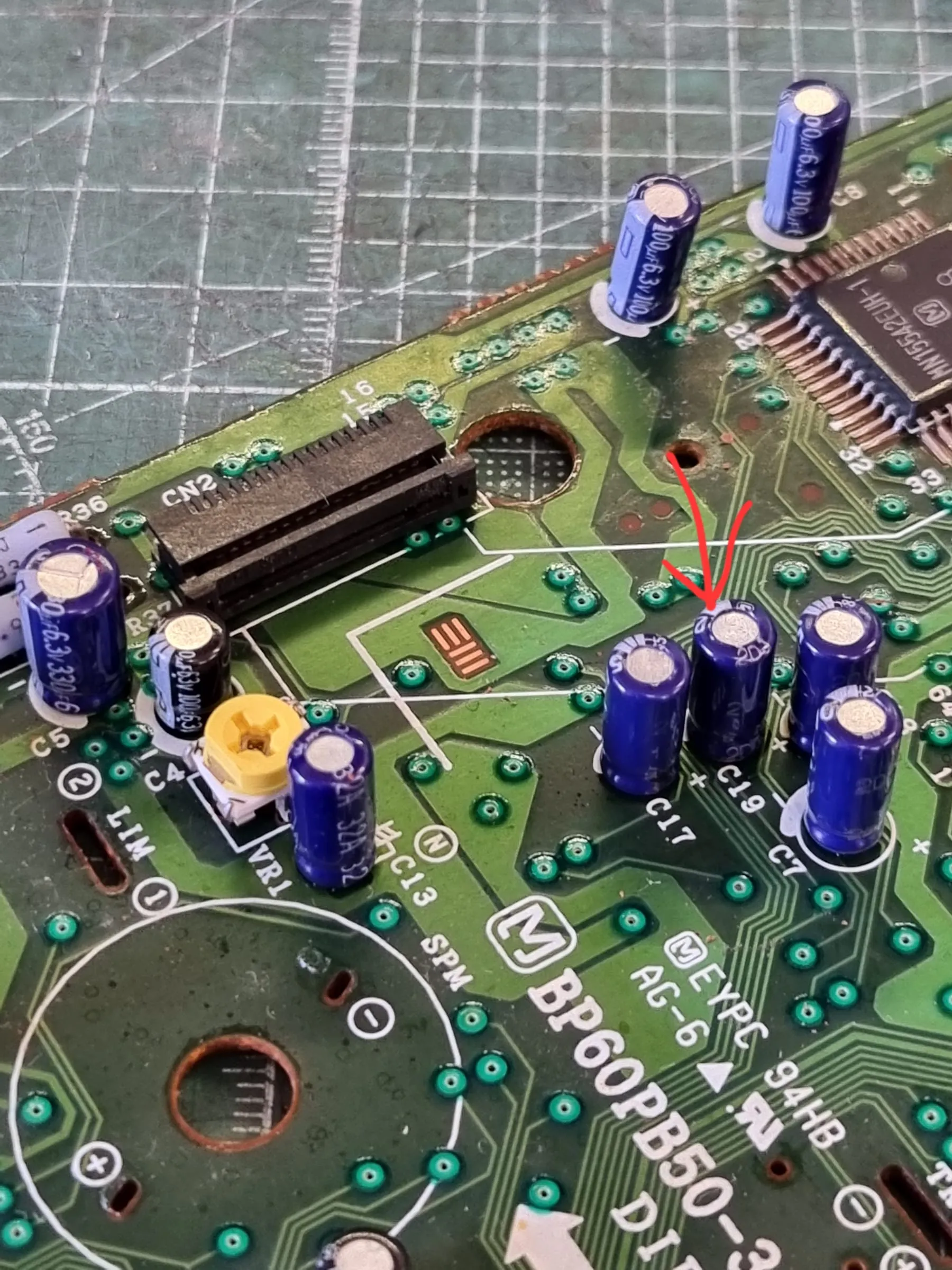
In order to get access to C19, you’ll need to desolder the lens assembly from the CD-ROM driver board, and then lift the black plastic cover by hand. This design seems only seen in model 2.
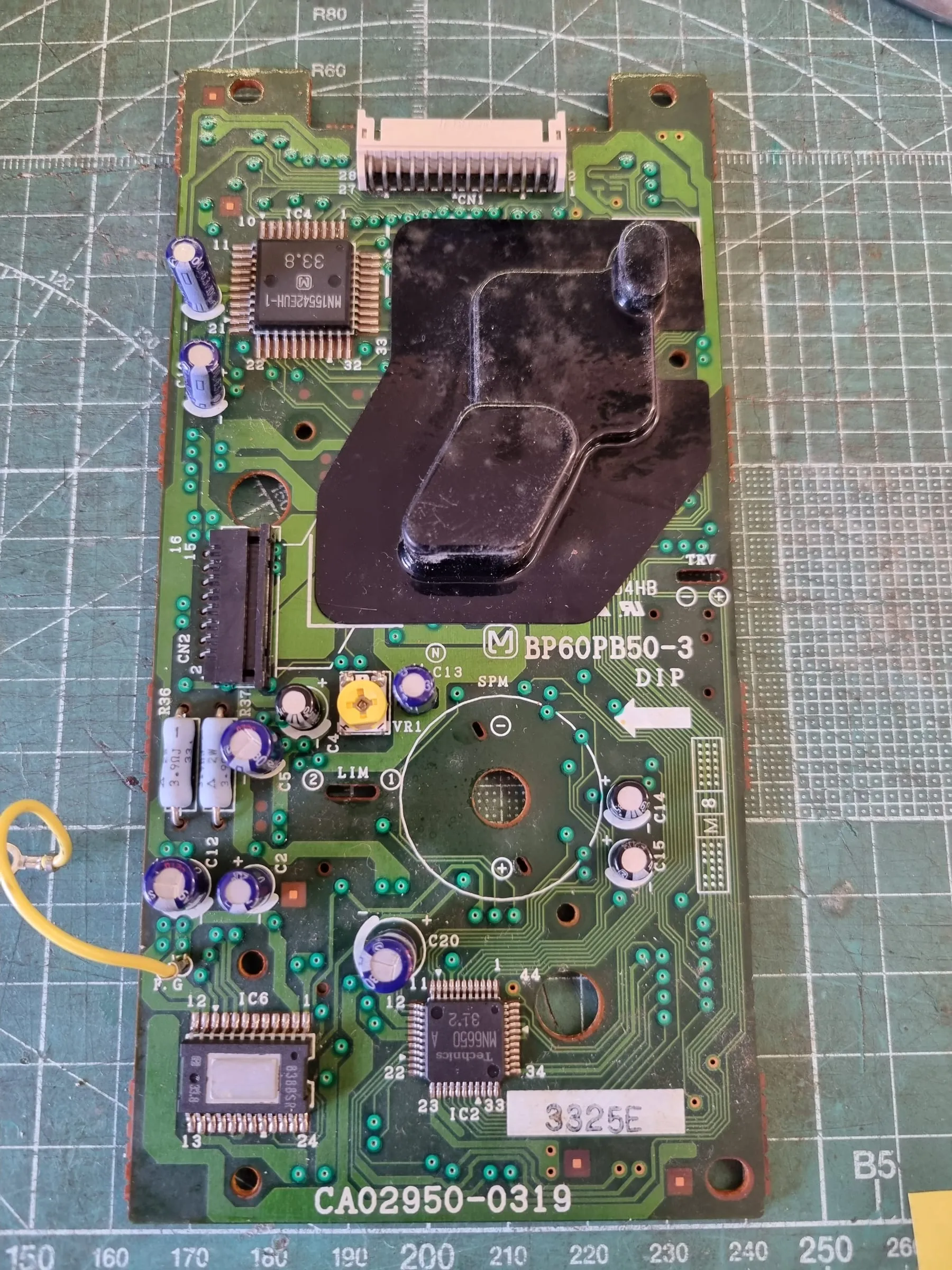
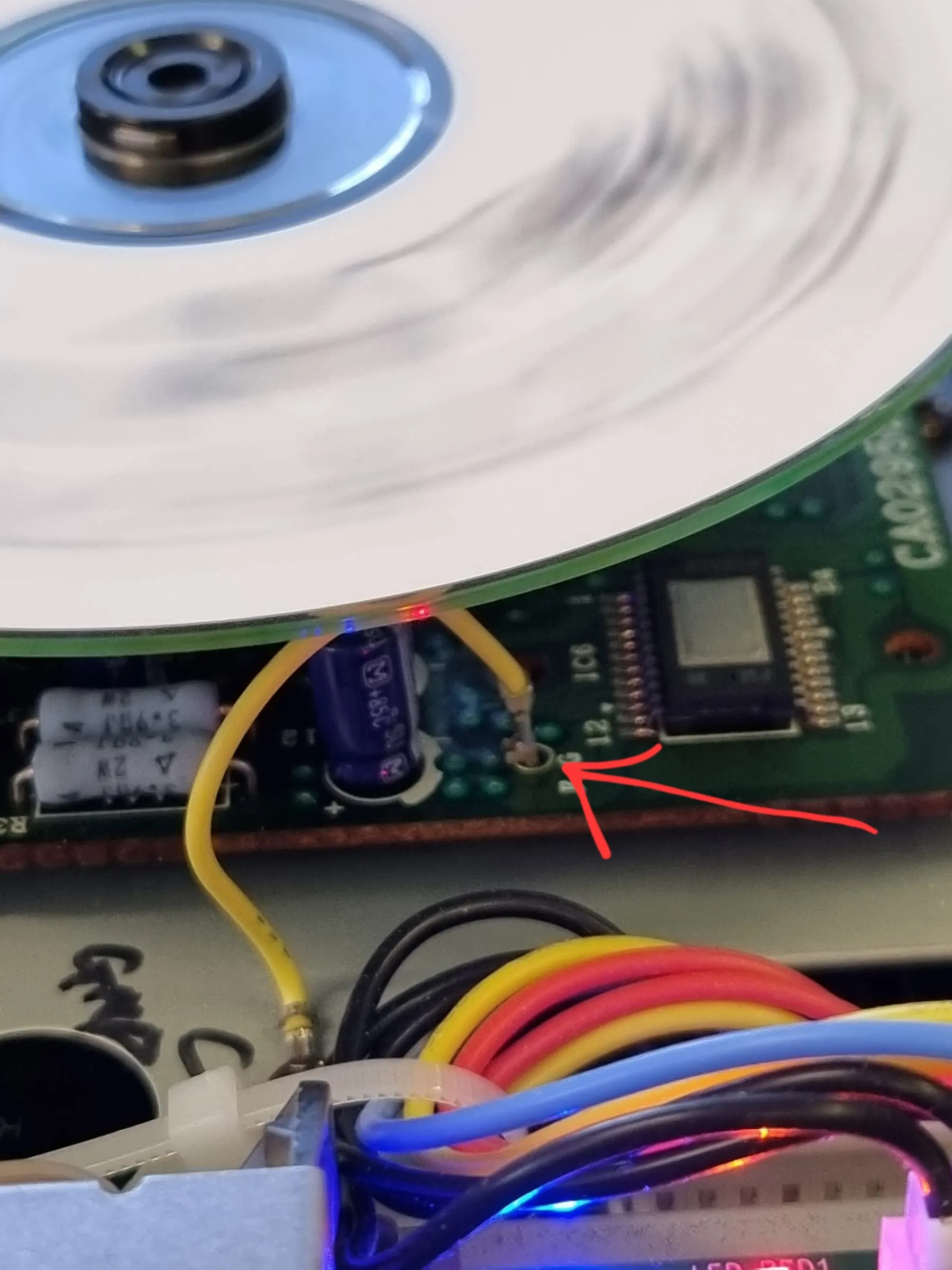
Also pay attention to the grounding wire. I found mine got a cracked solder joint, which cause the optical pick up not resetting to the inner most position whenever the lid is closed, which results a non-working CD-ROM drive.
A lengthy repair, but finally a fully working unit.